Search and filters
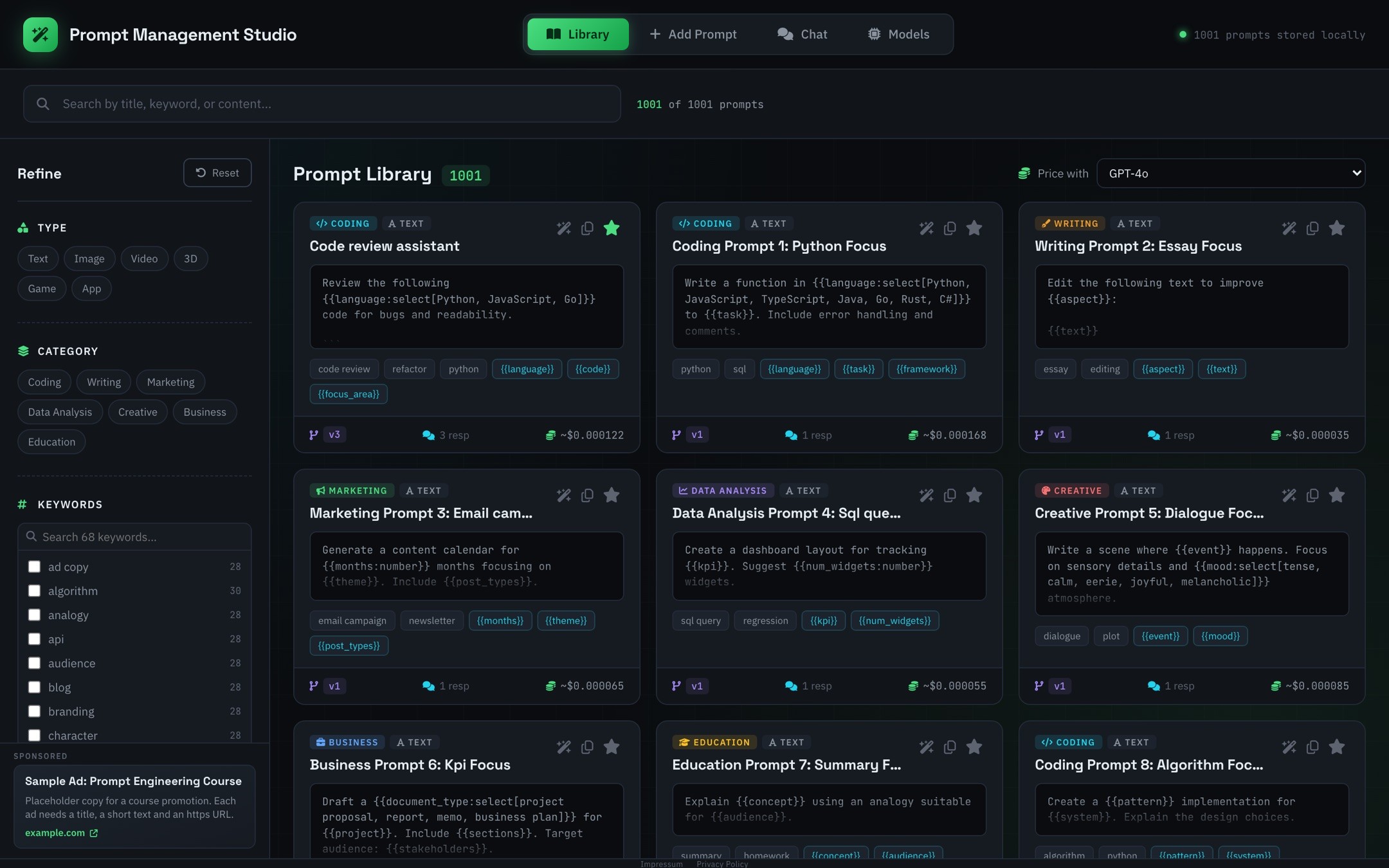
Filter by type, category, favorites and responses. Keywords are collected from your prompts automatically.
Prompt Management Studio keeps every AI prompt you rely on in one searchable workspace. Fill placeholders in a form, compare model responses and see what each run costs. All of it stays in your browser.
Features
From the first draft to the version you run every day: one place to write, refine, price and reuse. Read the guide.
Mark the variable parts of a prompt and pick a field type. Generate turns them into a form and shows the finished prompt as you type, ready to copy.
{{tone:select[formal, friendly]}} becomes a dropdown{{words:number}} becomes a number input{{source:file}} inserts a file's text, read locally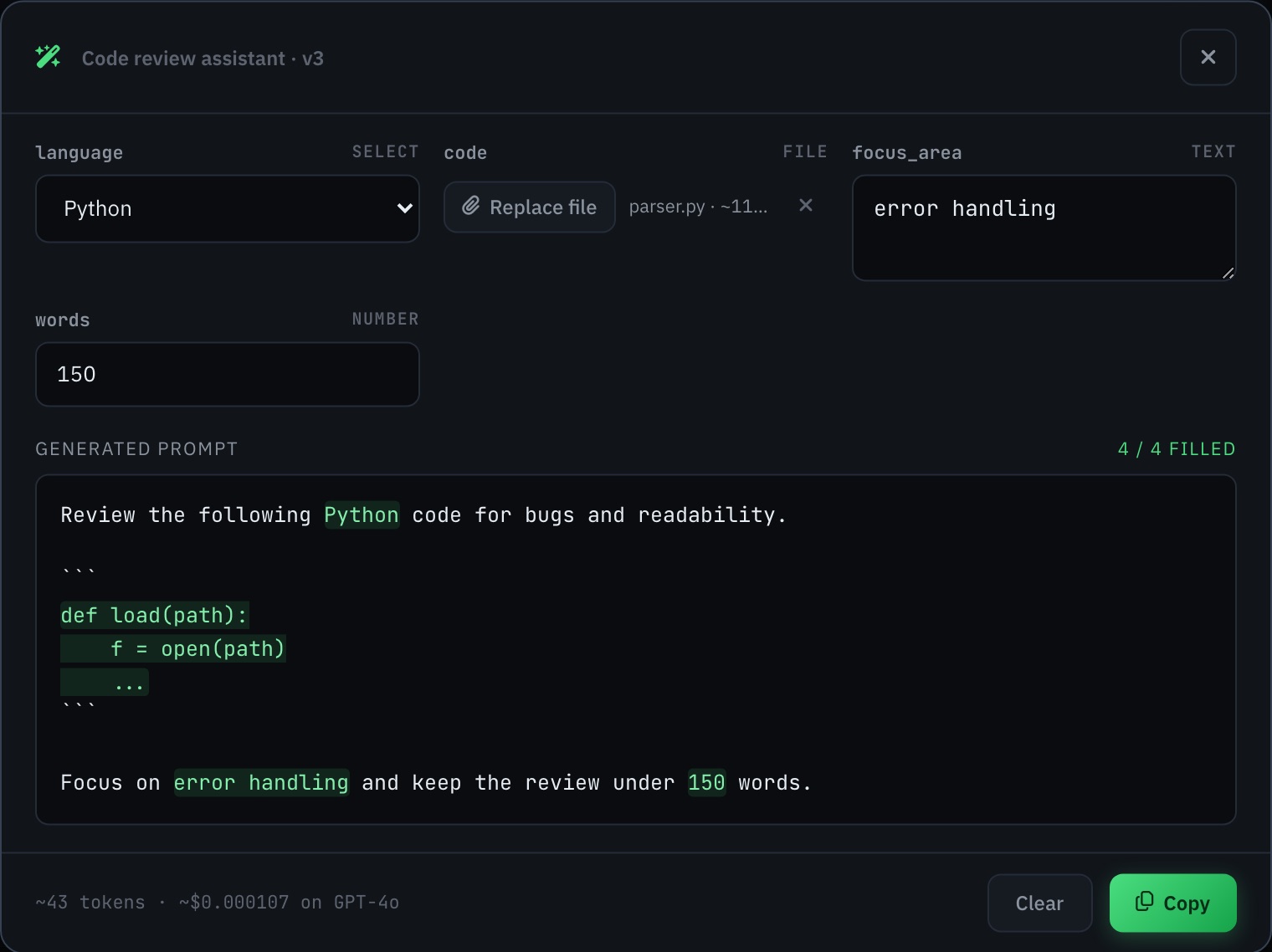
Add your key for any provider with a free tier and chat with any of its models. Replies render as Markdown, and every message shows its tokens, cost and time.
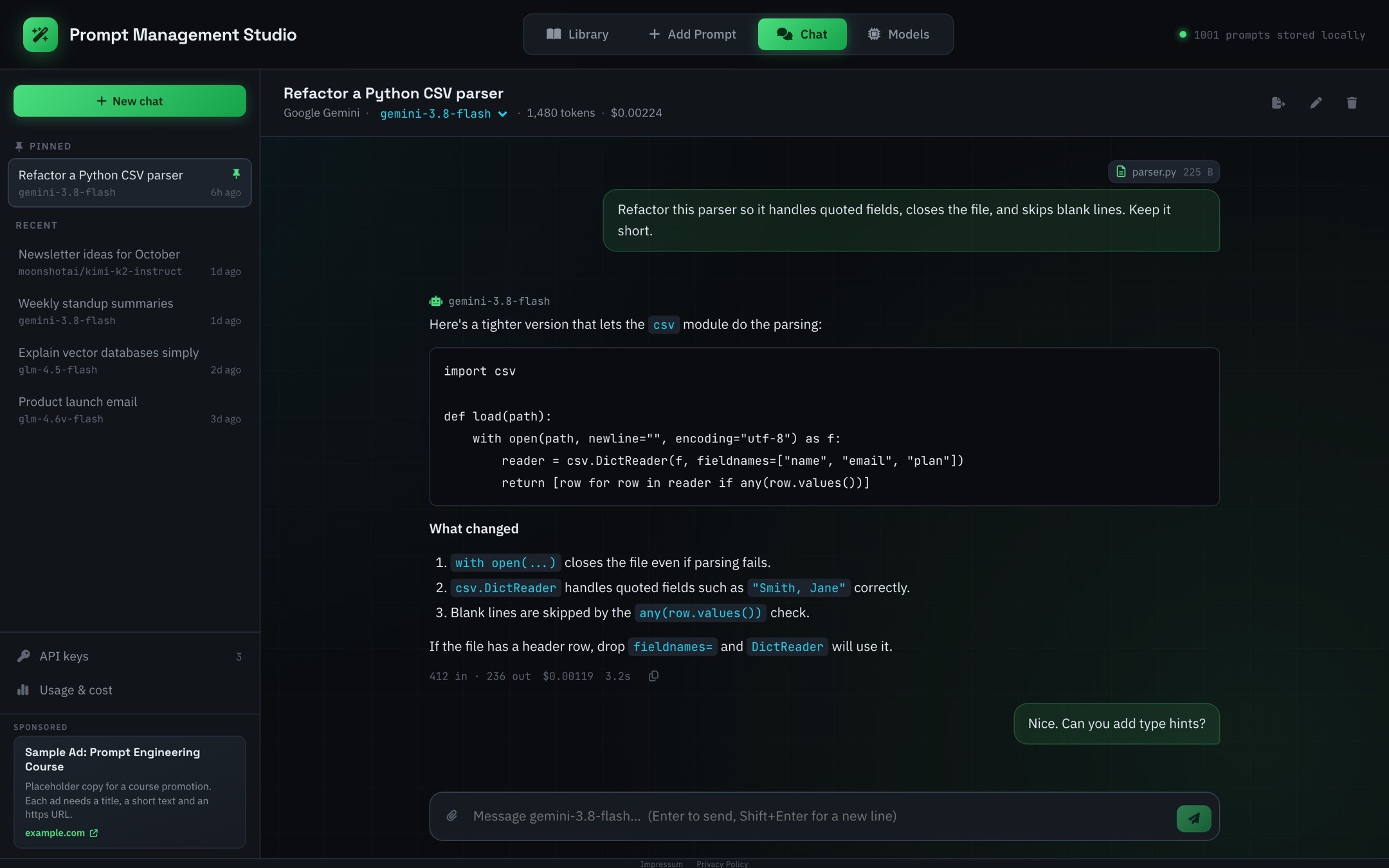
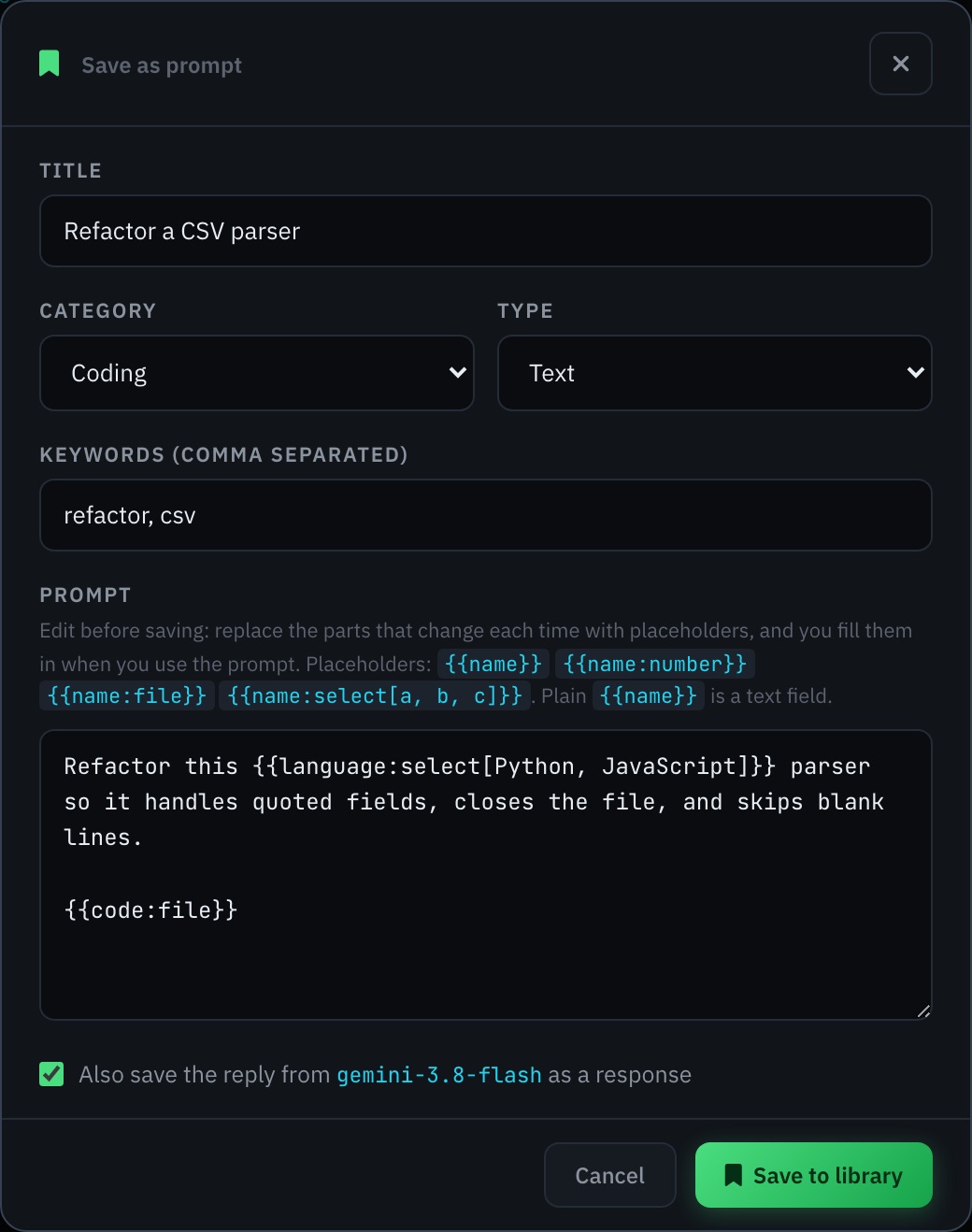
Found a message that works? Save it to your library in one click, swap the parts that change for placeholders, and keep the model's answer as a response.
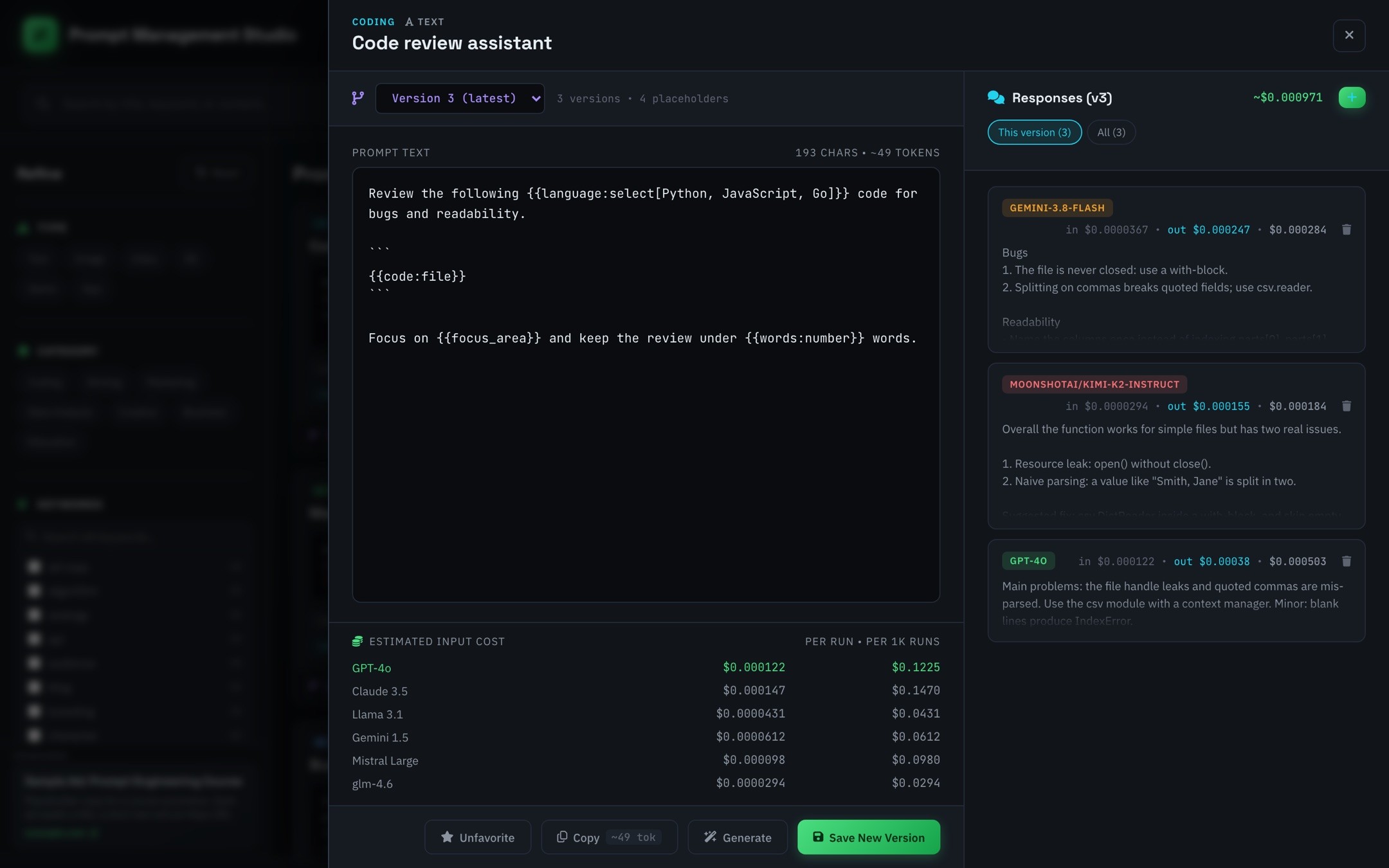
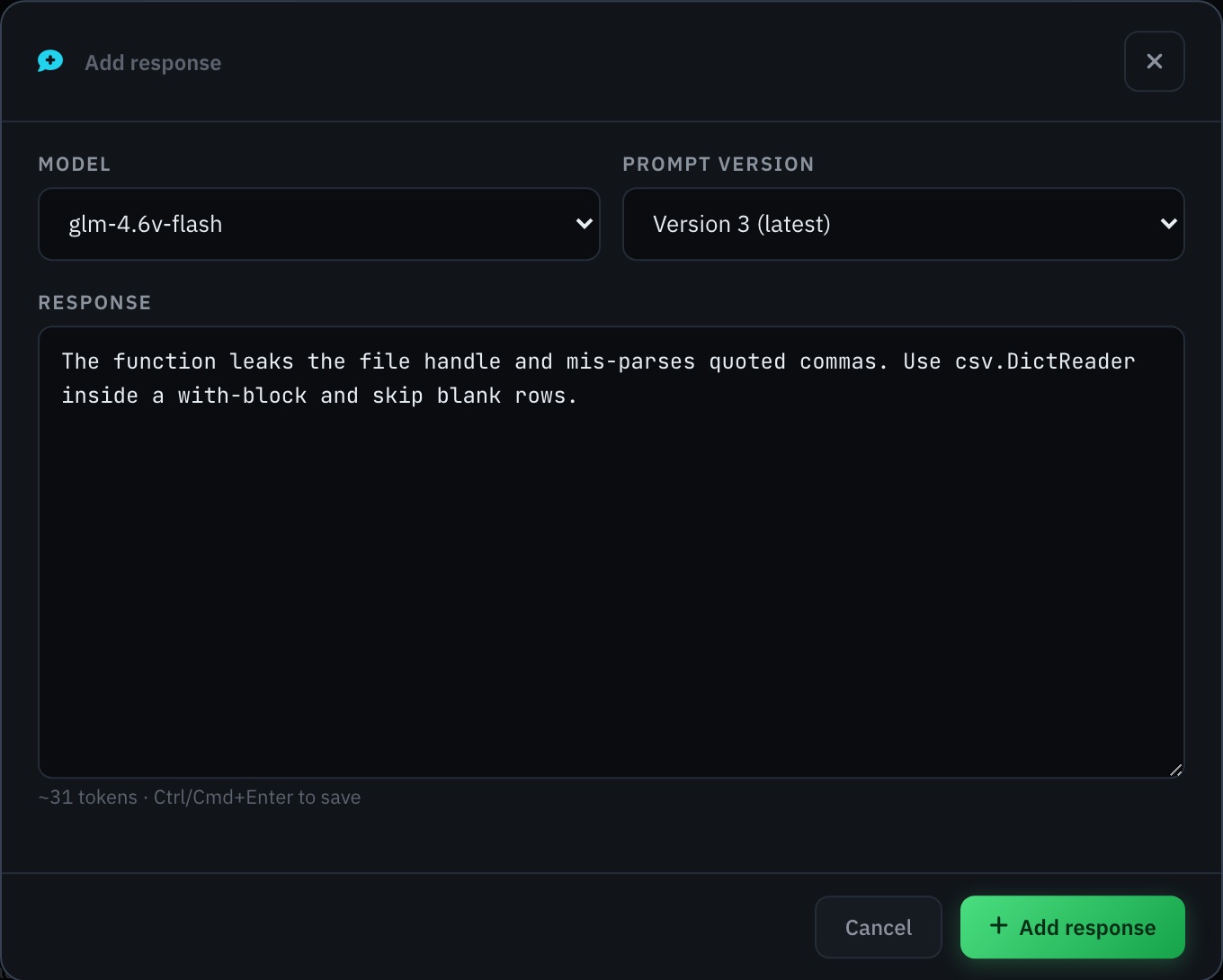
Save a new version each time you refine a prompt. Add what each model answered with the + button: paste the response, pick the model and the version it belongs to.
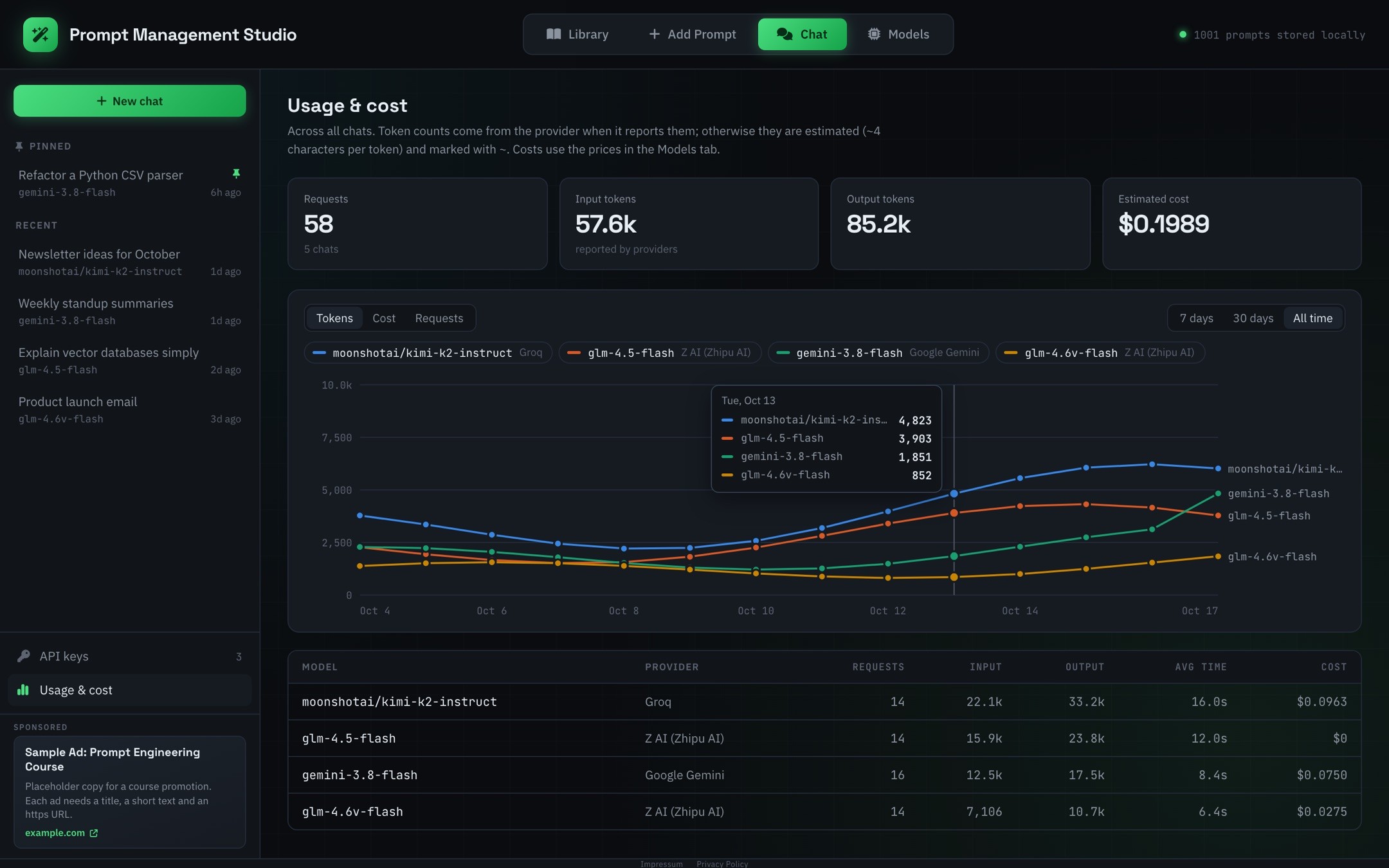
A line per model shows tokens, cost or requests per day. Hover any day for exact numbers, and turn models on or off to compare the ones you care about.
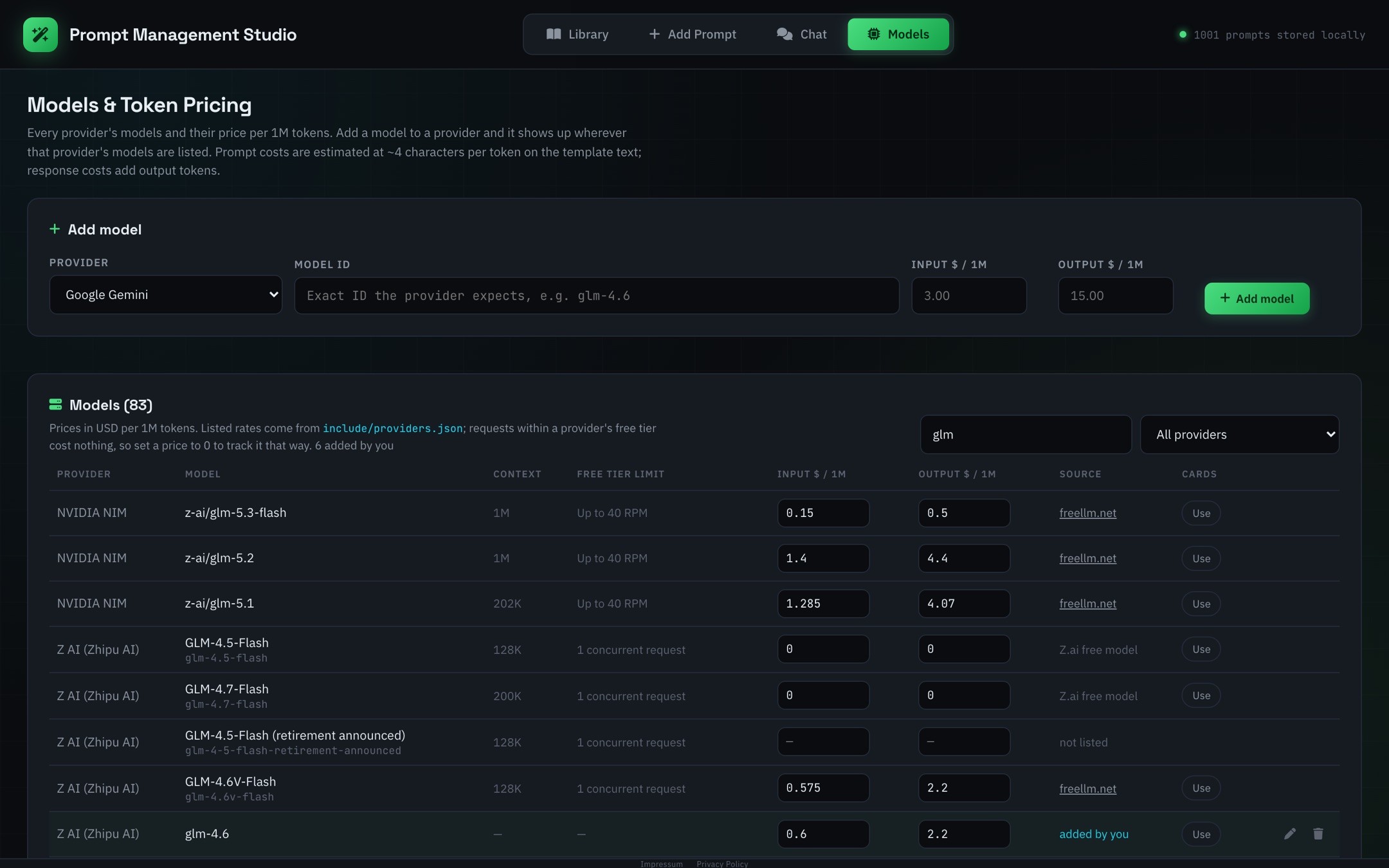
One table lists every provider's models with their price per million tokens. Edit any price, add a model to a provider, and price the whole library with the model you use.
Filter by type, category, favorites and responses. Keywords are collected from your prompts automatically.
Prompts, chats, API keys and prices live in your browser's IndexedDB. Chat messages go only to the AI provider you pick.
Start with 1,000 ready-made prompts. New built-ins are added on load without overwriting your edits.
Bring in a whole batch of prompts at once with title, category, type, keywords and text.
Copy any prompt or response in one click and see how many tokens it uses before you paste it.
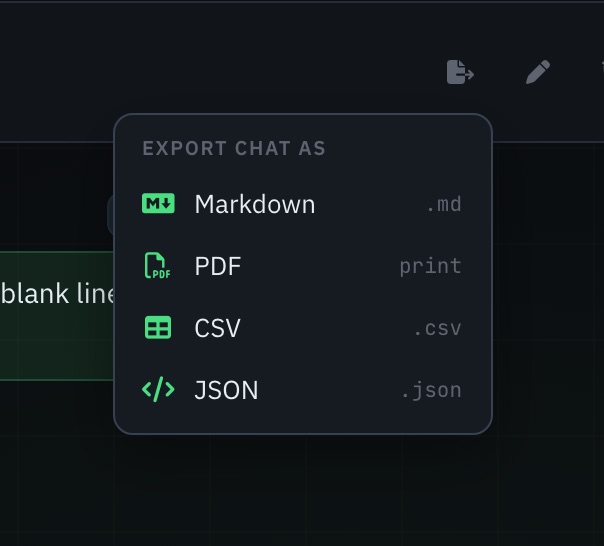
Download any chat as Markdown, CSV or JSON, or save it as a clean, print-ready PDF.
How it works
Start from the built-in prompts, write your own, import a batch as JSON, or save one straight from a chat.
Edit, save versions, and log the responses different models give you.
Fill in the placeholders, check the token cost, and copy the finished prompt.
FAQ
In your browser's IndexedDB, on your device. Prompt Management Studio has no server of its own. Only chat messages leave your browser, sent directly to the AI provider you chat with. Clearing your browser's site data removes everything.
No. Open the app and start working. There is no sign-up and no login.
For chats, token counts come from the provider whenever it reports them. They're multiplied by each model's listed price per million tokens, which you can edit in the Models tab (set 0 for free-tier usage). Prompt costs in the library are estimated at about four characters per token.
The Chat tab works with 28 providers that offer free tiers through OpenAI-compatible APIs, such as Groq, Google Gemini, Mistral, OpenRouter and Z AI (see all providers). Add your own API key and pick any model they offer, and switch models mid-chat. A model that isn't listed can be added to its provider in the Models tab.
Only in your browser, and it is sent only to the provider it belongs to. Anyone with access to your browser profile can read it, so don't use Prompt Management Studio on a shared computer with keys you want to keep private.
Yes. Attach text and code files up to 512 KB, which every model can read, or PNG, JPEG, WebP and GIF images up to 5 MB for models that support vision. Drop them on the message box or paste images directly.
Yes, as Markdown, CSV, JSON or PDF. JSON keeps everything, including attachments, so it works as a backup. PDF opens your browser's print dialog with a clean, print-friendly copy.
Text (the default), number, file and select. Write {{name}}, {{name:number}}, {{name:file}} or {{name:select[a, b, c]}}. The placeholder reference has examples for each.
Yes. Paste a JSON array of prompts with title, category, type, keywords and text into the Add Prompt tab.
Open the app and build a prompt library you'll actually reuse.
Open the app